
For Spectrum staff
Spectrum eTools:
your tools,
one tap away.
Showing DenverFt. CollinsPueblo tools
Pick your location
eNotes, timesheets, incident reports and the rest, for your location. Pick your key.
By using these tools and forms, you attest that the information you provide is true, accurate and correct.
Not Spectrum staff?Find our servicesRefer a clientWork with us
Your tools.
Everything for your location, in the order a shift needs it. Each tool opens its own login in a new tab.
This phone or computer remembers your location for next time.
Spectrum eToolsPick your location above
Or choose it here. Your tools depend on the office you work out of.
Spectrum eToolsDenverDenver East & West offices
Every shift
Services you delivered
Something happened
See what to do firstTime off
Supervisors and managers
Spectrum eToolsFt. CollinsLoveland office
Every shift
Services you delivered
Something happened
See what to do firstTime off
Supervisors and managers
Spectrum eToolsPuebloPueblo office
Every shift
- Pueblo eNotesWrite a contact note after time with someone you support., opens the eNotes login (opens in a new tab)
- Pueblo eTimesheetNot online for Pueblo — ask your office: 719-545-4057
Services you delivered
Something happened
See what to do firstTime off
- Pueblo Time Off RequestNot online for Pueblo — ask your office: 719-545-4057
Supervisors and managers
- Pueblo Program MonitoringManager tool for program monitoring., opens the Program Monitoring login (opens in a new tab)
- Pueblo eManagerManager tool., opens the eManager login (opens in a new tab)
- Pueblo eTalentNot online for Pueblo — ask your office: 719-545-4057
If something happened.
Three steps, in this order.
Step 1: Make sure everyone is safe.
If anyone is in danger, call 911.
Step 2: Tell your supervisor.
Step 3: File an incident report.
Locked
out?
Forgot your eTools password?
- Get my Denver password, opens the Denver Password Reminder form (opens in a new tab)
- Get my Ft. Collins password, opens the Ft. Collins Password Reminder form (opens in a new tab)
- Get my Pueblo password, opens the Pueblo Password Reminder form (opens in a new tab)
We'll email it to you.
Still stuck? Call your office
- Denver East office720-623-4000
- Denver West office303-232-4601
- Ft. Collins office970-223-4664
- Pueblo office719-545-4057
or email help@spectrumco.com
Paper forms.
Every form opens as a PDF you can print or save.
The same 12 forms for every location.
Safety & drills
- Emergency Procedure TrainingRecord emergency procedure training., PDF, 43 KB (opens in a new tab)
- Fire Evacuation TrainingLog a fire evacuation drill., PDF, 44 KB (opens in a new tab)
- Community Participation LogNote time out in the community., PDF, 203 KB (opens in a new tab)
- Personal InventoryList a person's belongings., PDF, 82 KB (opens in a new tab)
Health appointments
- Annual Physical ExaminationTake it to the yearly physical., PDF, 101 KB (opens in a new tab)
- Physician Progress NotesFor the doctor to fill in at a visit., PDF, 82 KB (opens in a new tab)
- Dental/Vision AppointmentTake it to a dentist or eye visit., PDF, 75 KB (opens in a new tab)
- Psychiatric AppointmentTake it to a psychiatry visit., PDF, 97 KB (opens in a new tab)
Tracking
- Personal Needs LedgerTrack a person's personal needs money., PDF, 76 KB (opens in a new tab)
- Medication Side Effect TrackingNote side effects you notice., PDF, 69 KB (opens in a new tab)
- Seizure TrackingRecord each seizure., PDF, 93 KB (opens in a new tab)
- Sleep TrackingTrack sleep night by night., PDF, 126 KB (opens in a new tab)
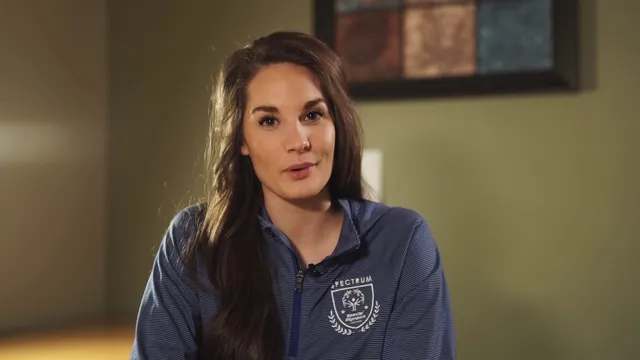
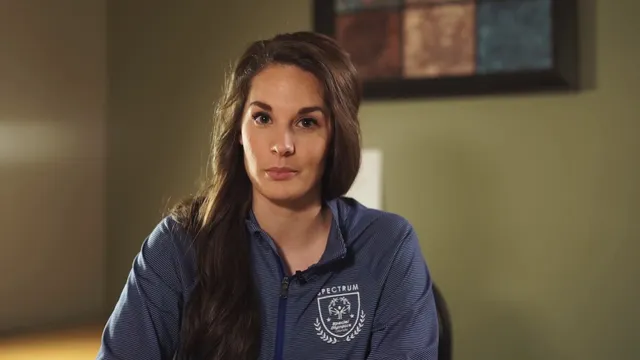
Two short how-to videos.
For your first week, or any time you need a refresher.
How to enter a contact note , 5 minutes
Open eNotes:Open Denver eNotes eNotes (opens in a new tab)Open Ft. Collins eNotes eNotes (opens in a new tab)Open Pueblo eNotes eNotes (opens in a new tab)
How to file an incident report , 4 minutes
Open Incident Report:Open Denver Incident Report Incident Report (opens in a new tab)Open Ft. Collins Incident Report Incident Report (opens in a new tab)Open Pueblo Incident Report Incident Report (opens in a new tab)
Questions staff ask.
Short answers. Tap or click a question to read one.
Which location should I pick?
The office you work out of. Denver covers both the Denver East and Denver West offices. Ft. Collins is the Loveland office.
Choose your locationShowing Denver tools · ChangeShowing Ft. Collins tools · ChangeShowing Pueblo tools · Change
I forgot my password.
Use “Get my password” for your location and it will be emailed to you. Still stuck? Call your office.
Is my eTools password the same as my email?
No. eTools has its own passwords, set by your office.
The form I need isn't here.
Call your office; some tools aren't online for every location.
Office phone numbersCall Denver East: 720-623-4000Call Denver West: 303-232-4601Call Ft. Collins: 970-223-4664Call Pueblo: 719-545-4057
Can I use Spectrum eTools on my phone?
Yes, they open in your phone's browser.
I'm not on staff. Where do I go?
This page is for Spectrum staff. You can find our services, refer a client, or work with us.